
Program screenshots
What ZEROALERT looks like: server lists, cards, charts, reports and settings.
Server monitoring
What is happening with servers, virtual machines, the network and 1C right now.

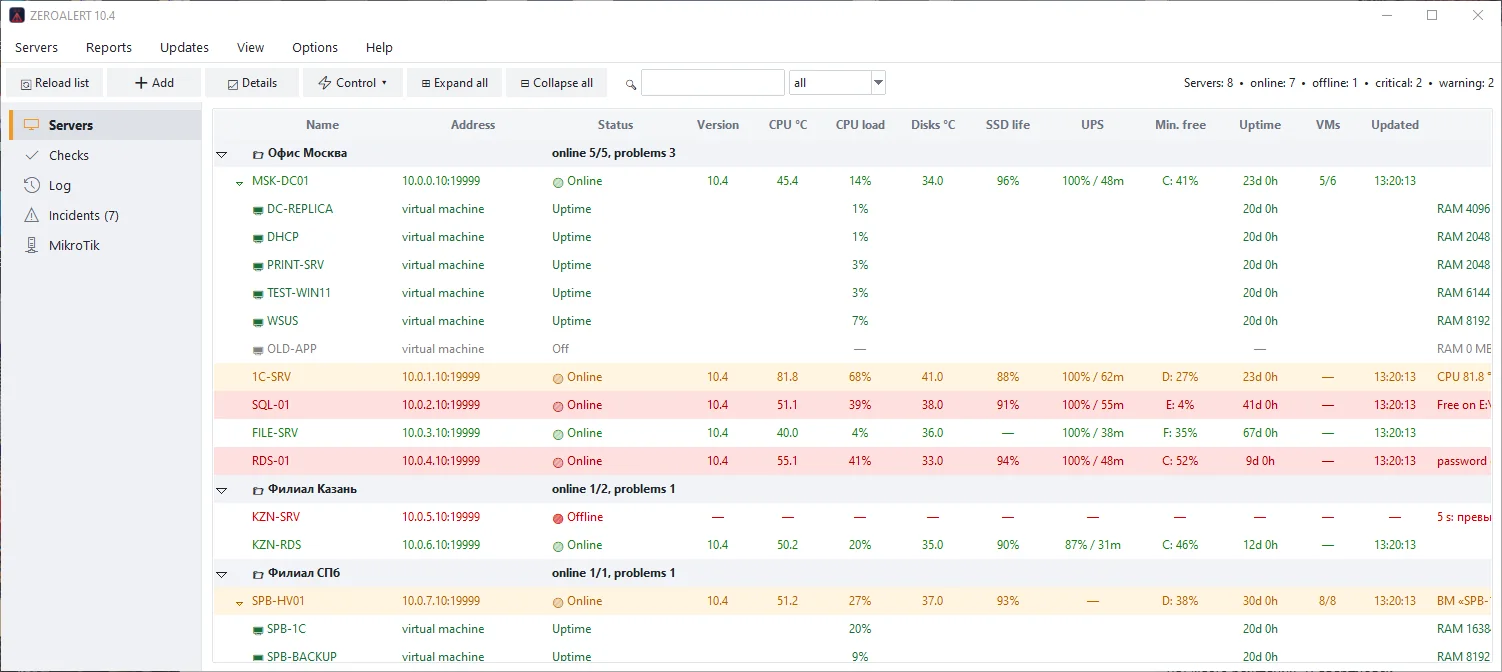
All servers on one screen
Servers grouped by office: CPU temperature, load, disks, SSD wear, UPS, free space, uptime and VM count. The row colour shows trouble at a glance.
Hyper-V virtual machines
A server row expands to show its virtual machines: state, load, memory and uptime. Start, restart and reset are available from the context menu.
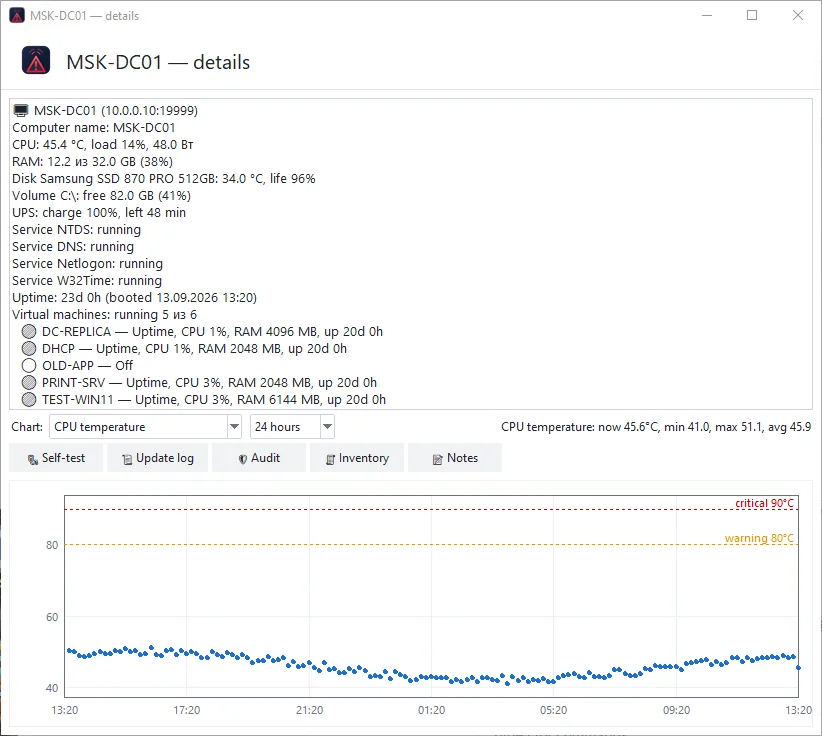
Server card and charts
Detailed readings, disks and services, plus a chart for a day, a week or a month: temperature, load, memory, free space.
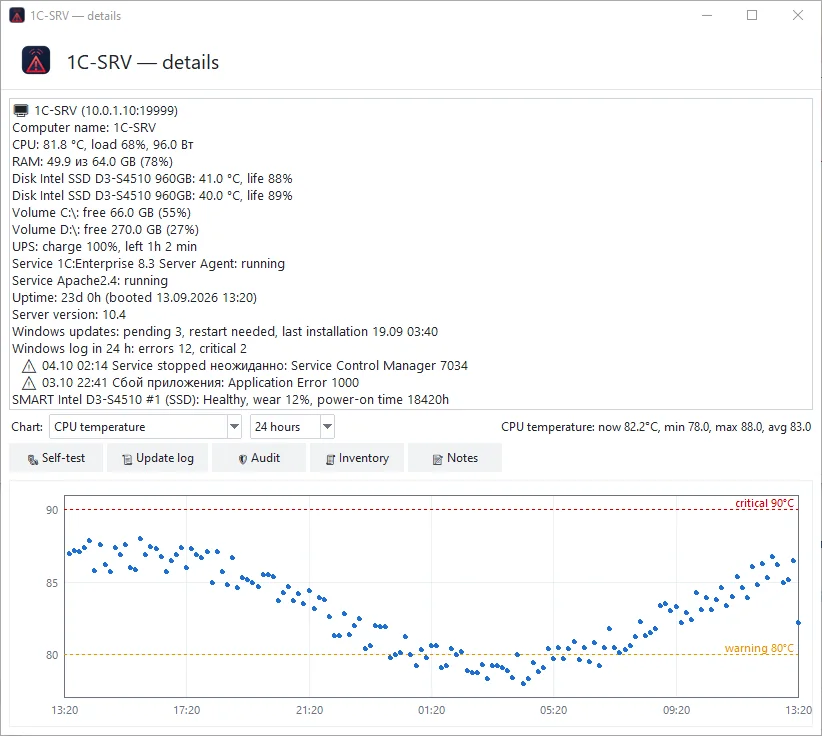
1C server and updates
1C sessions and licences, ragent and rphost state, pending Windows updates, important event log errors and SSD health (SMART).
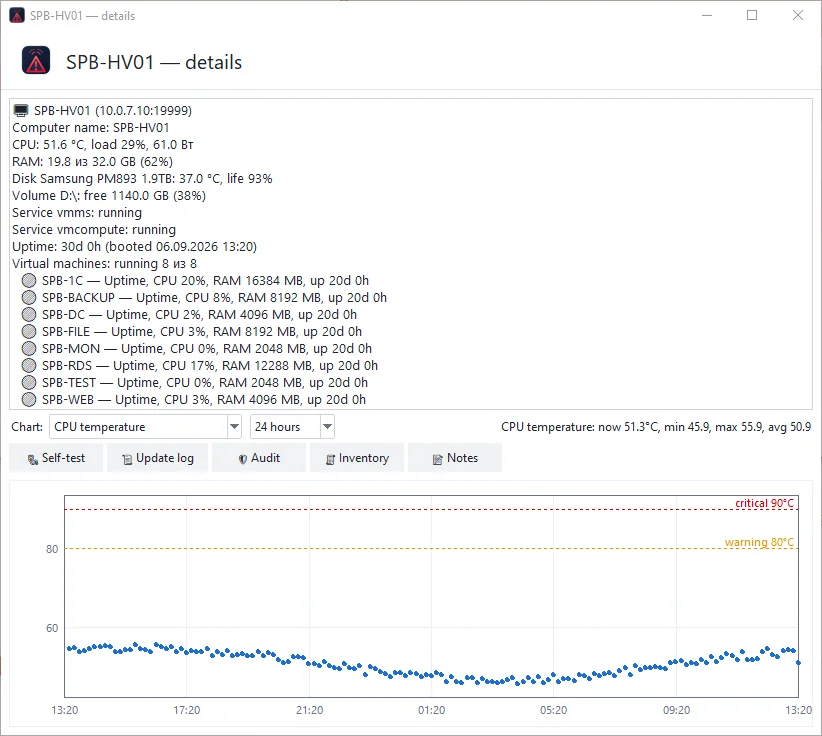
Virtualization host
Every virtual machine of the host, its state, CPU load and uptime; checkpoints and replication are monitored.
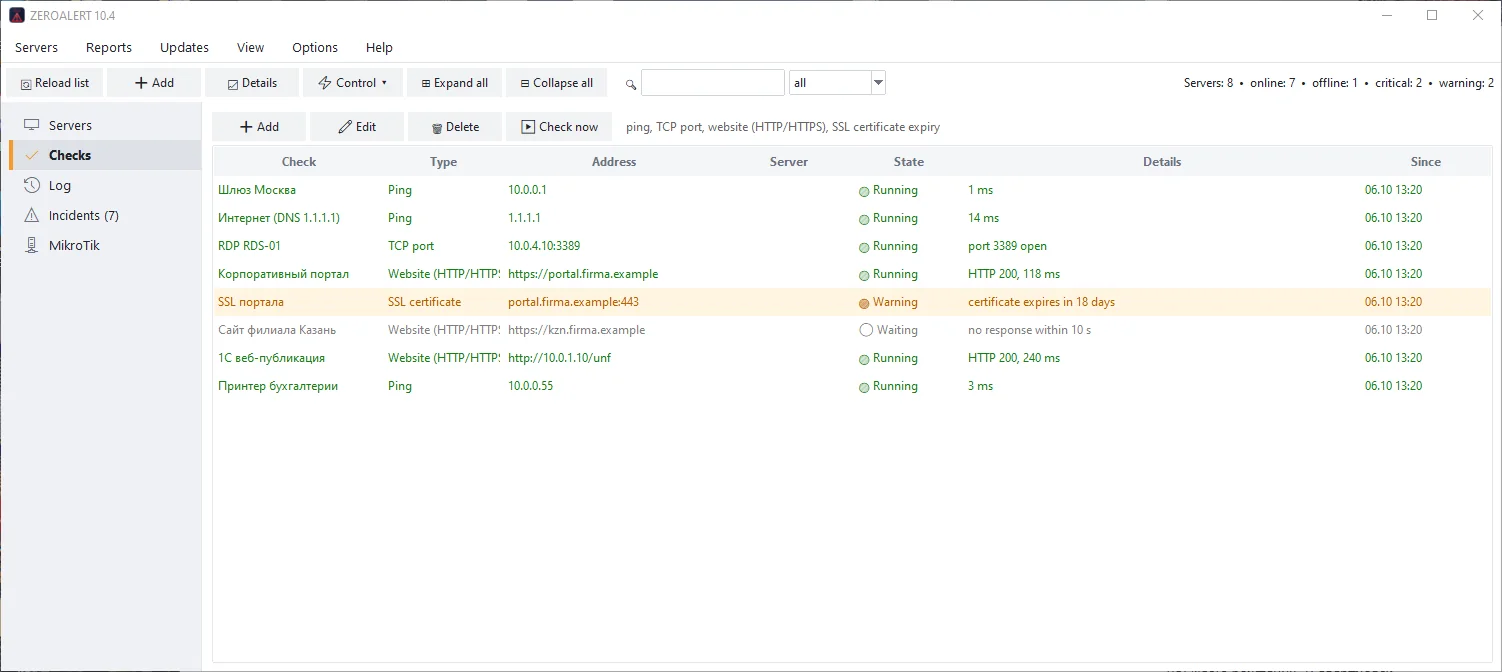
Availability checks
Ping, TCP port, website (HTTP/HTTPS), SSL certificate expiry and other checks. You see the response time and how long an outage lasts.

MikroTik routers
Availability, RouterOS version, available updates, CPU load, temperature and per-interface traffic (SNMP).
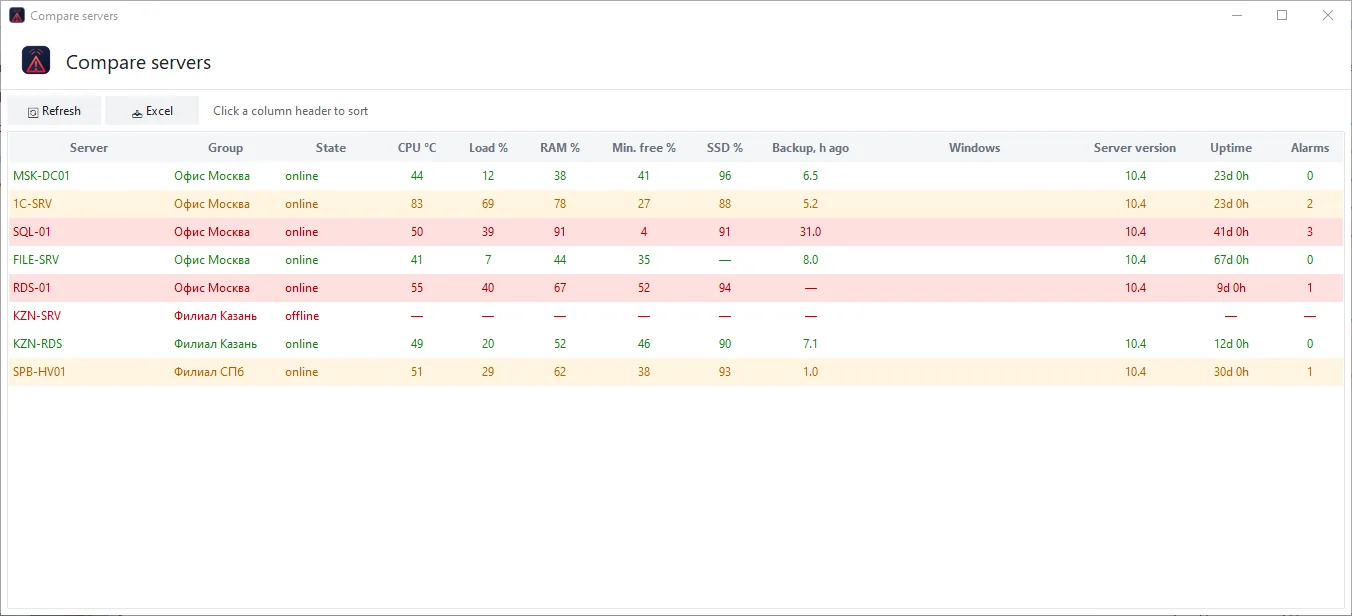
Server comparison
Key readings of all servers in one sortable table: easy to spot the busiest or the oldest server.
Alerts and incidents
Alerts reach you where you will see them: Telegram, MAX, e-mail, VK, SMS and voice call.

Incidents
Alerts are grouped into incidents: who took it, how long it lasts, when it was closed. Close manually and export to Excel.

Event log
All events for a period filtered by server and severity: alerts, connection failures, administrator actions, backups.
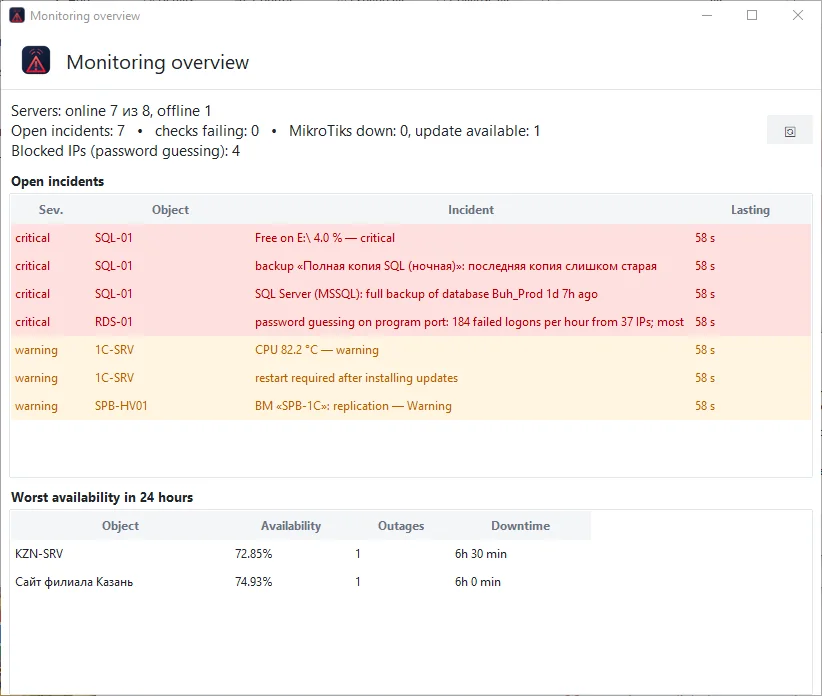
Monitoring overview
A summary of the whole infrastructure: open incidents, failing checks and unreachable devices, the worst availability in the last 24 hours.
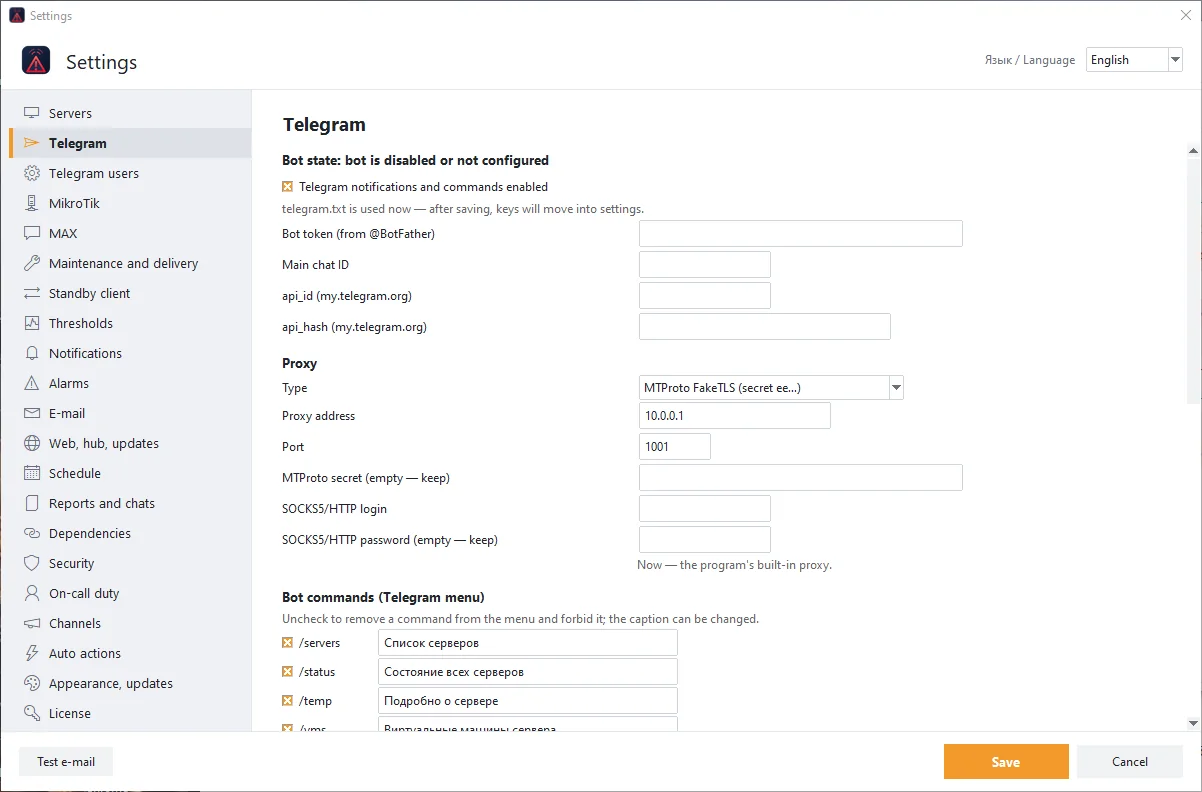
Telegram bot
Bot token, chat, proxy and the command menu. Notifications arrive instantly and servers are controlled with buttons and confirmation.
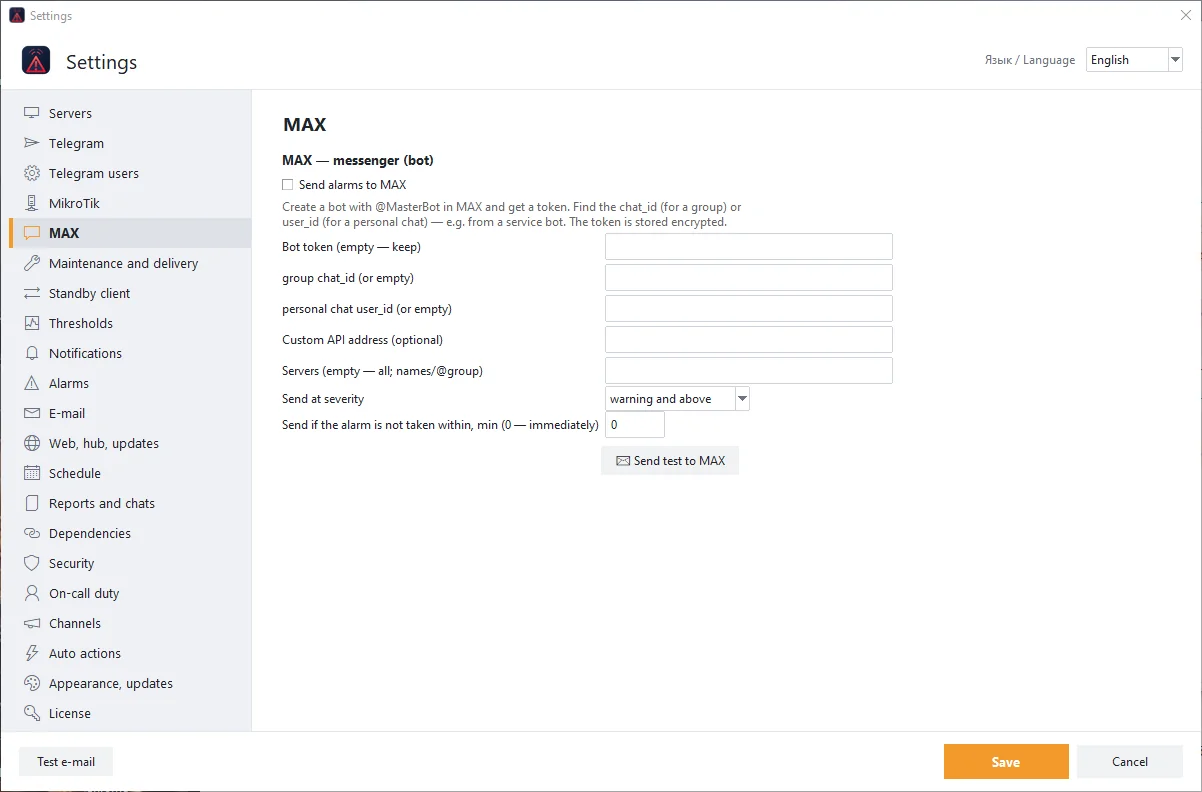
MAX messenger
Alerts in MAX: bot token, group or personal chat, severity threshold and server selection.

Notification rules
Message batching, quiet period after start, reminders about long outages, a daily summary and escalation if nobody takes an alert.
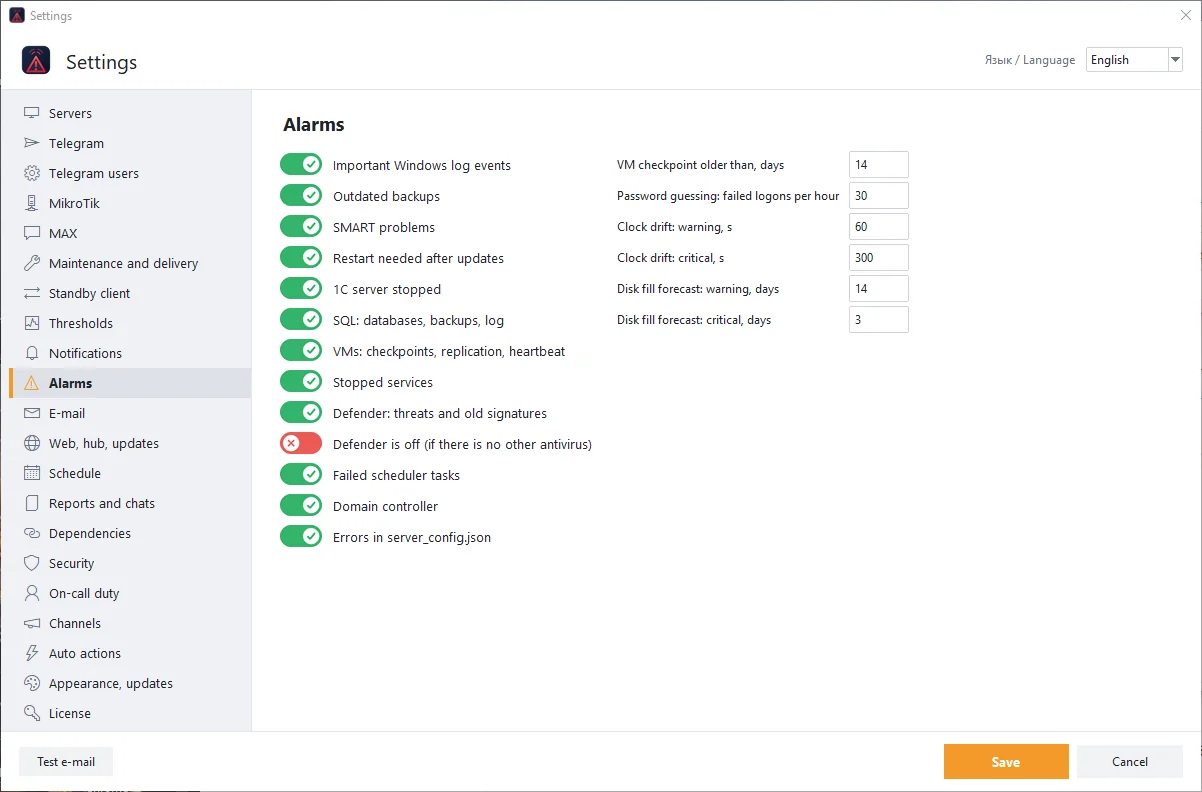
Which alerts are on
Backups, SMART, updates requiring a reboot, 1C, SQL, virtual machines, password guessing, scheduled tasks, domain controller.
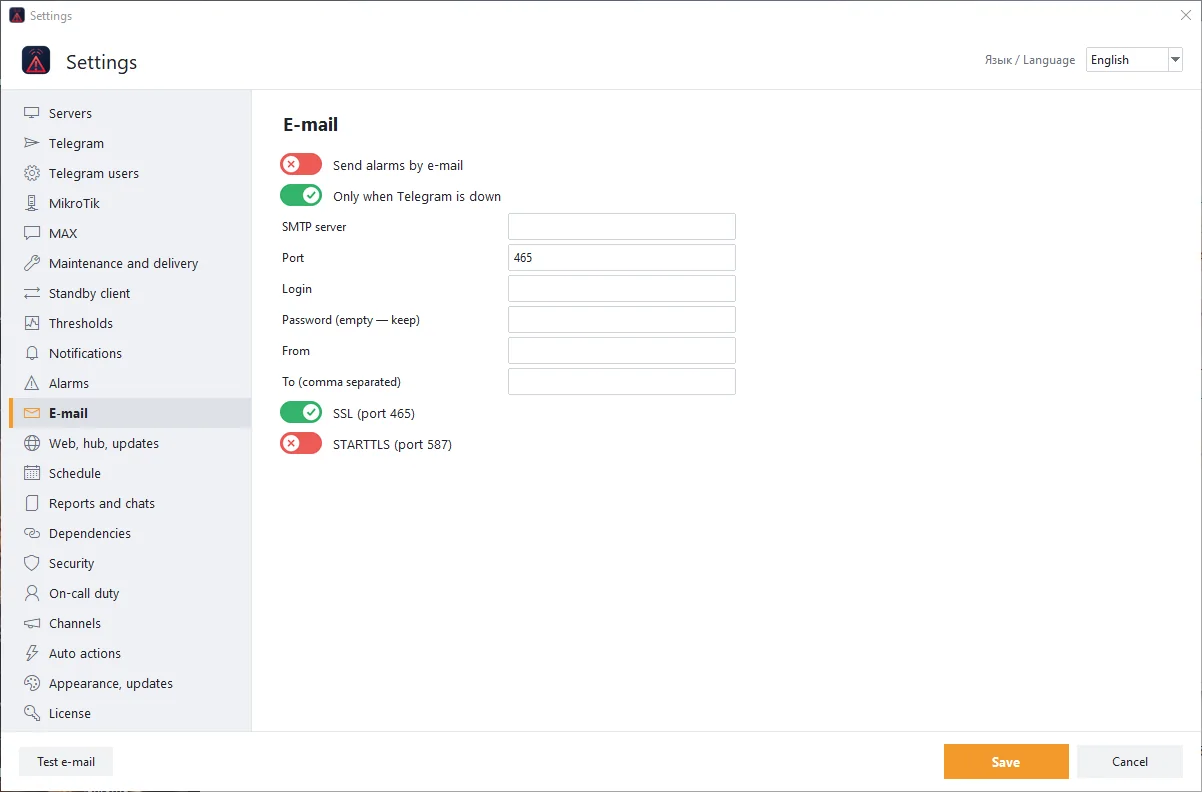
Alerts and reports by e-mail: SMTP server, SSL or STARTTLS, recipients. Can be limited to when Telegram is unavailable.
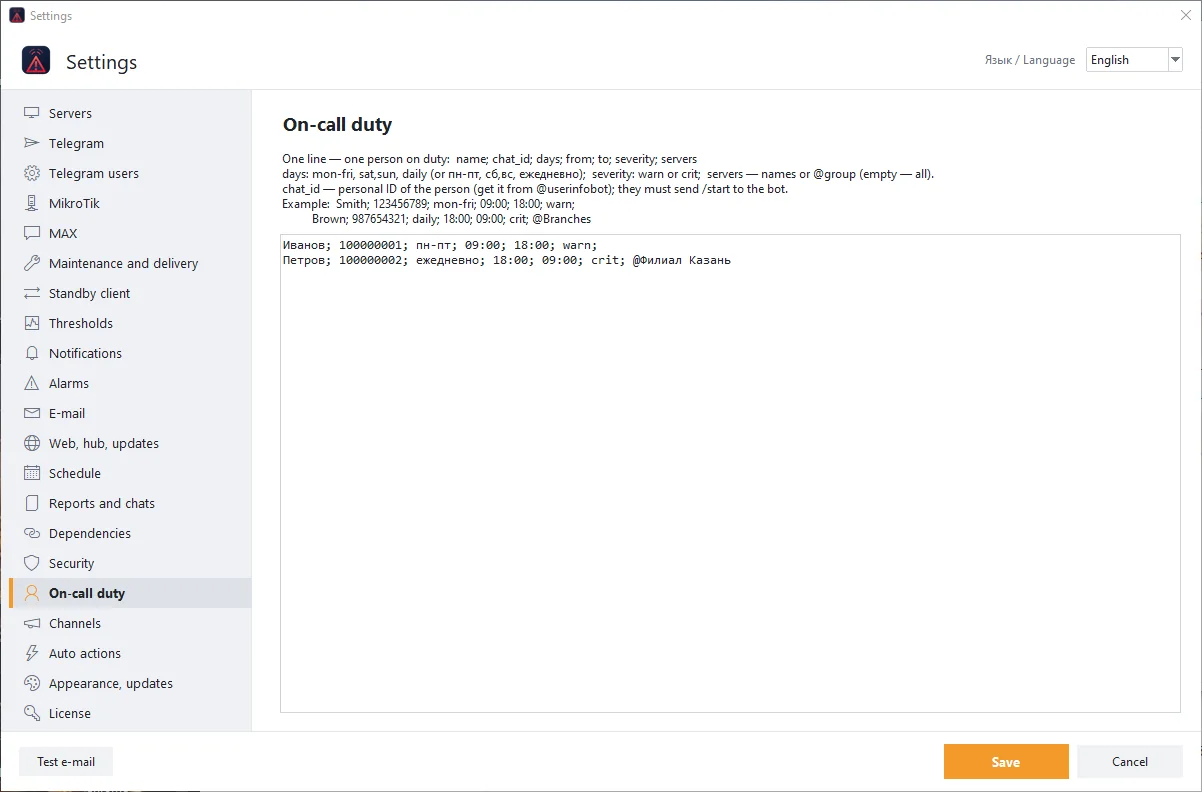
On-duty schedule
Who receives alerts and at what hours, from which severity and for which servers or groups.
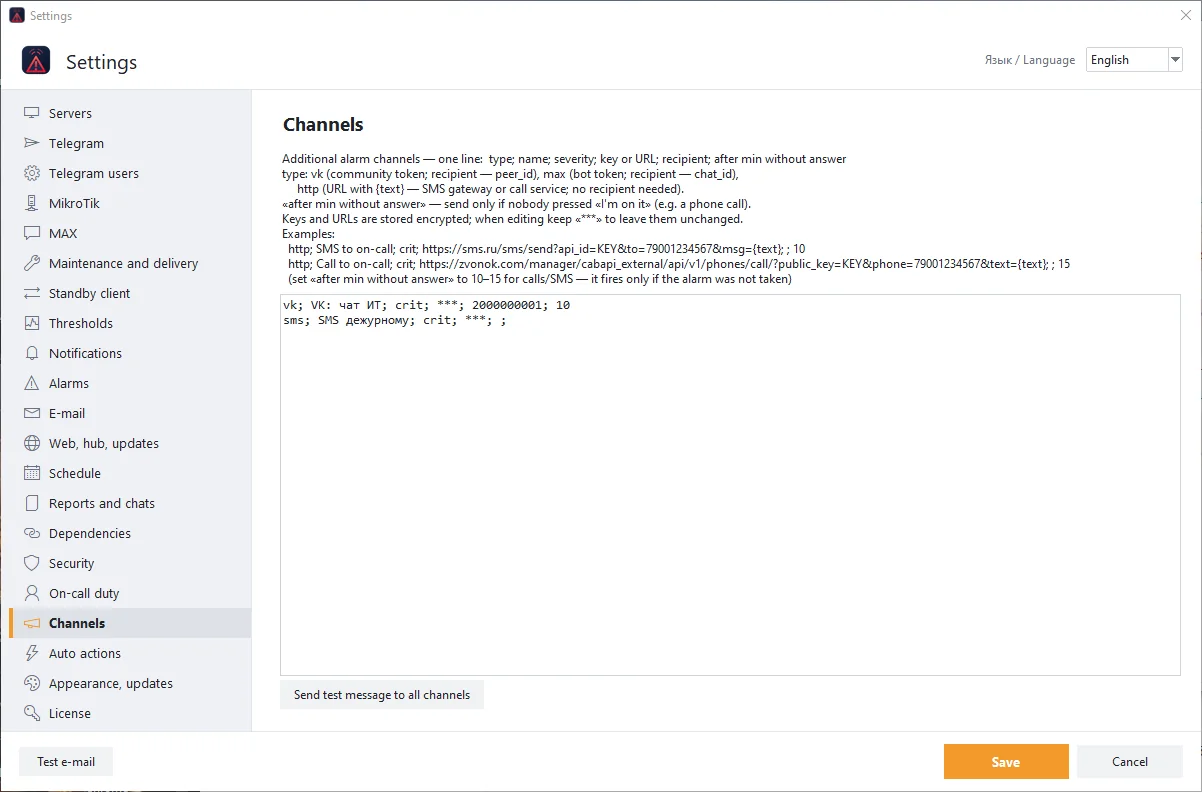
VK, SMS, voice call
Extra alert channels: VK, an SMS gateway, a voice call. They fire if nobody takes the alert within the set time.

Reports and chats
Weekly and monthly reports to Telegram and e-mail, extra chats with their own severity and control rights.
Control and automation
Hand the routine to the program: rules, schedules, dependencies, a standby client.
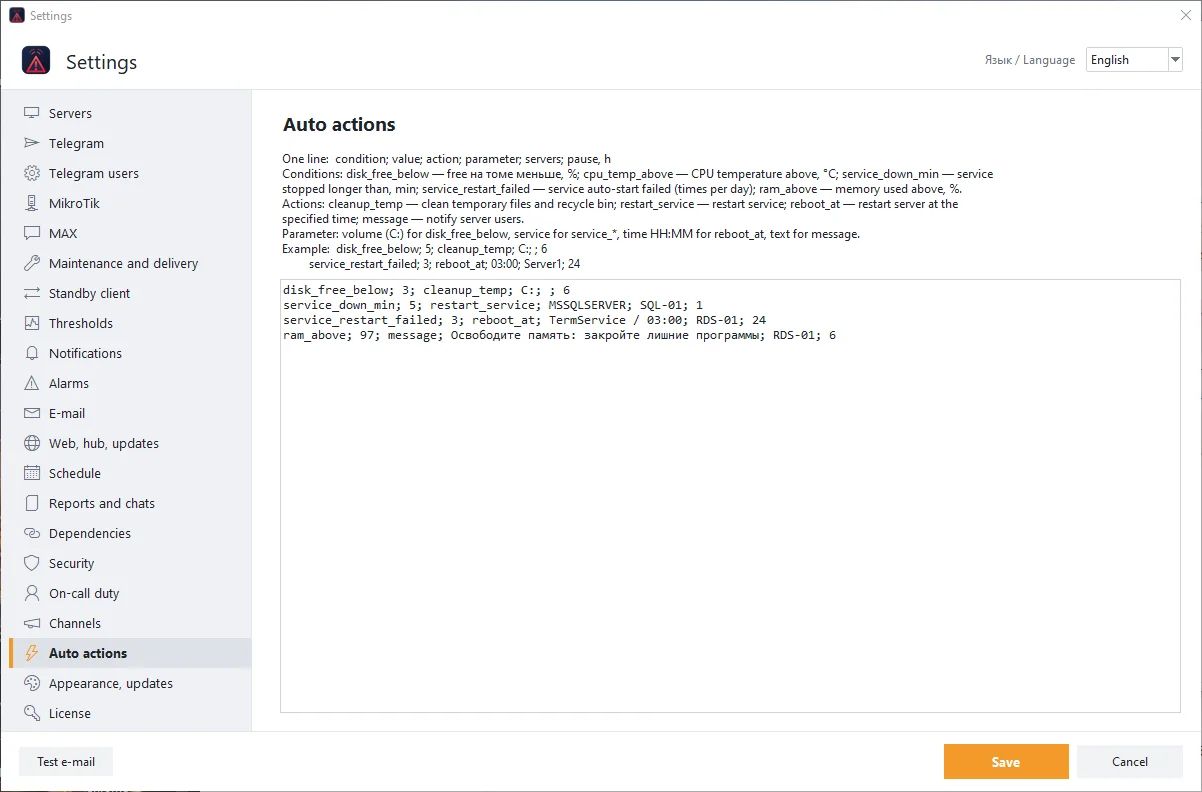
Auto-actions
If-then rules: clean a disk, restart a service, reboot a server in the night window, message the users.
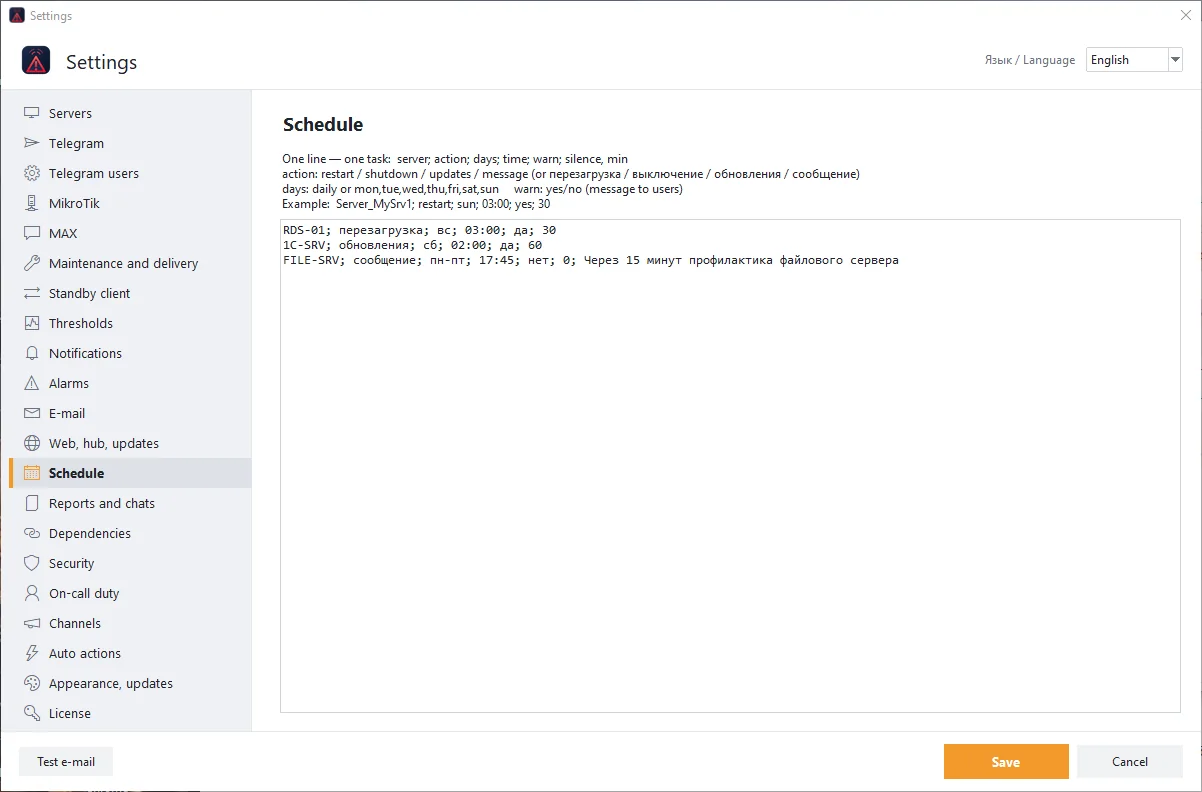
Maintenance schedule
Planned reboots, update installation and user messages by weekday, with a warning and silence for the duration of the work.

Server dependencies
If a parent server is down, dependent servers do not raise separate alerts: fewer redundant notifications during an outage.
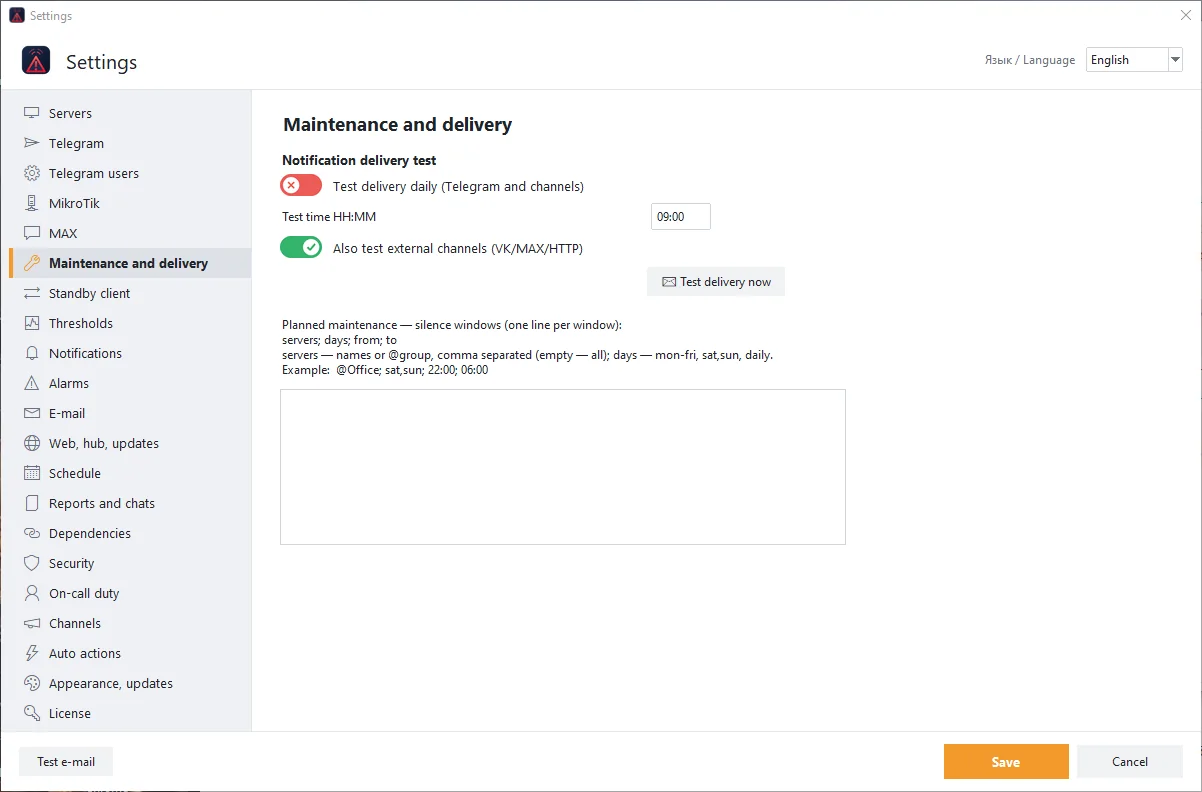
Maintenance and connectivity
Notification delivery checks, maintenance windows and external channel checks.
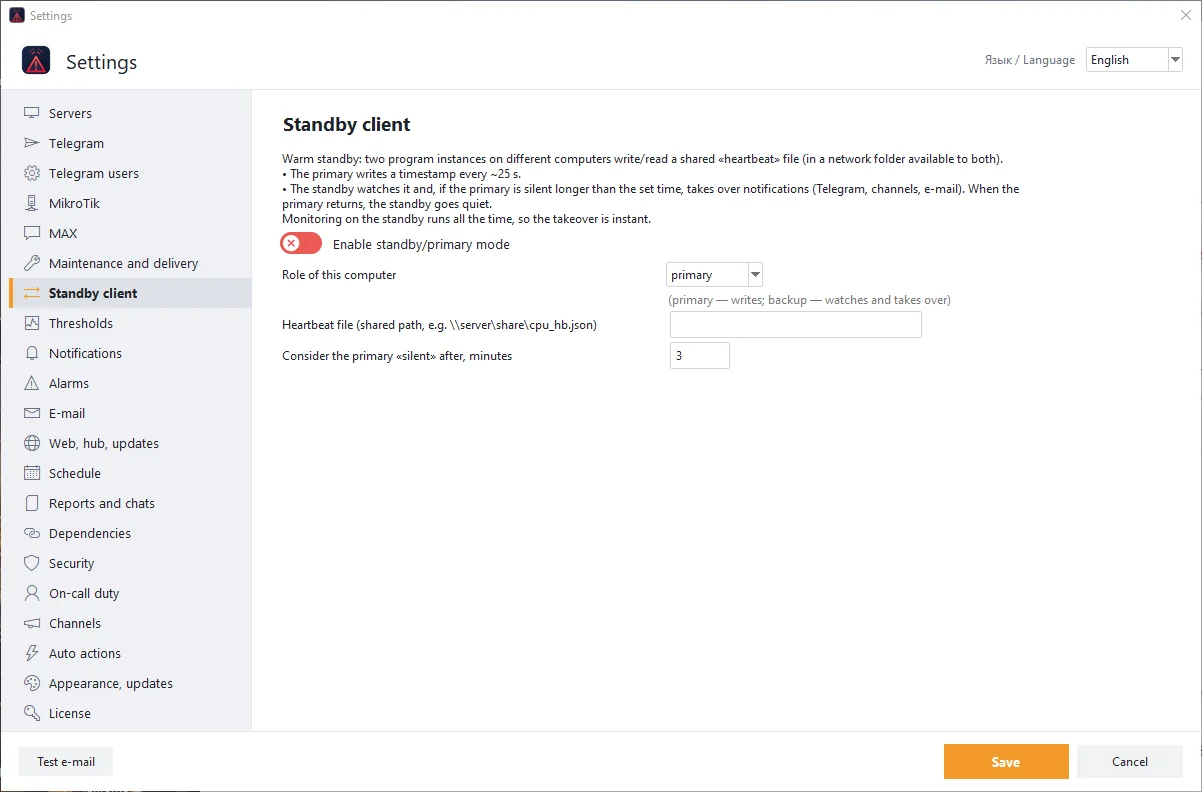
Standby client
A second copy of the program on another computer takes over notifications if the main one goes silent.
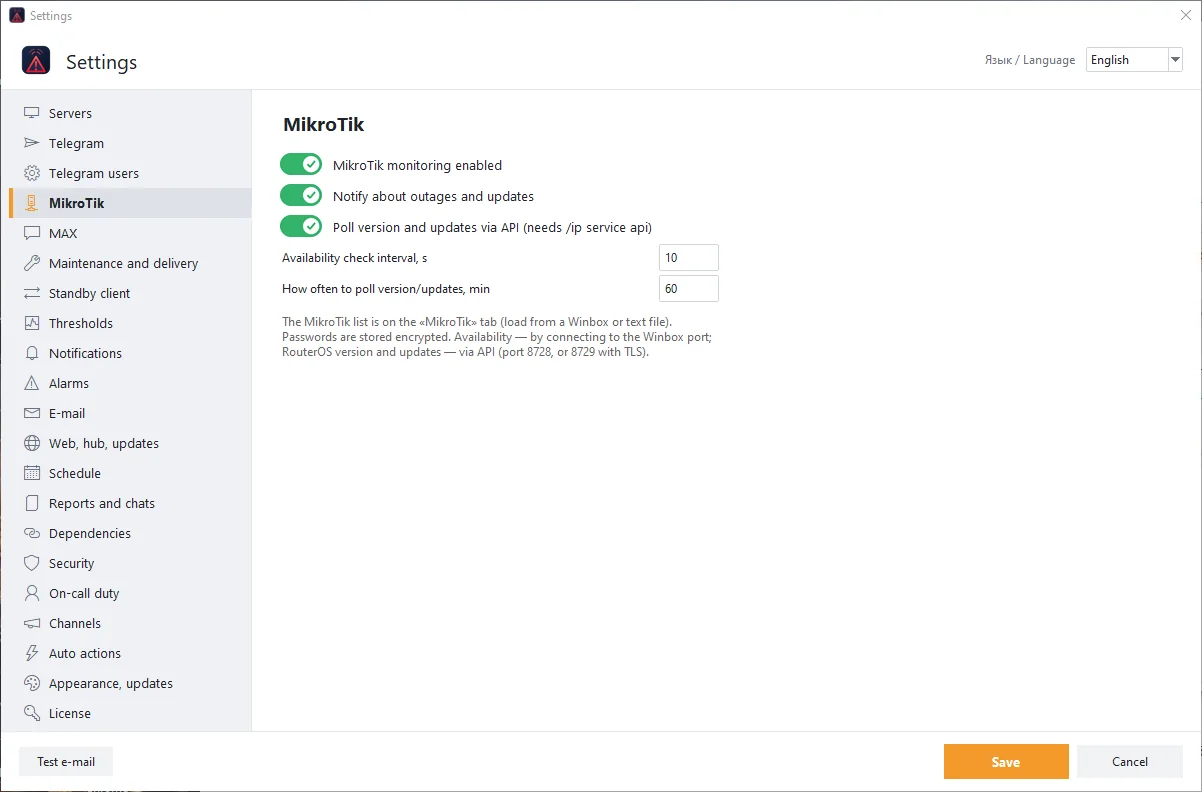
MikroTik settings
Check interval, unavailability and update notifications, version polling over the API.
Reports
Availability, downtime and a ready-made report for the customer.
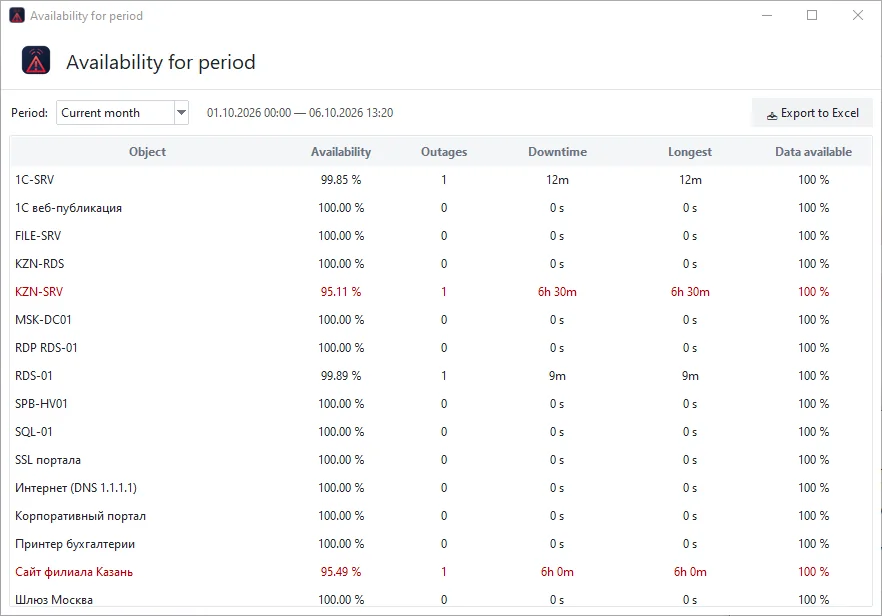
Availability for a period
Availability percentage of every server and check, the number of outages, their duration and the longest one. Export to Excel.
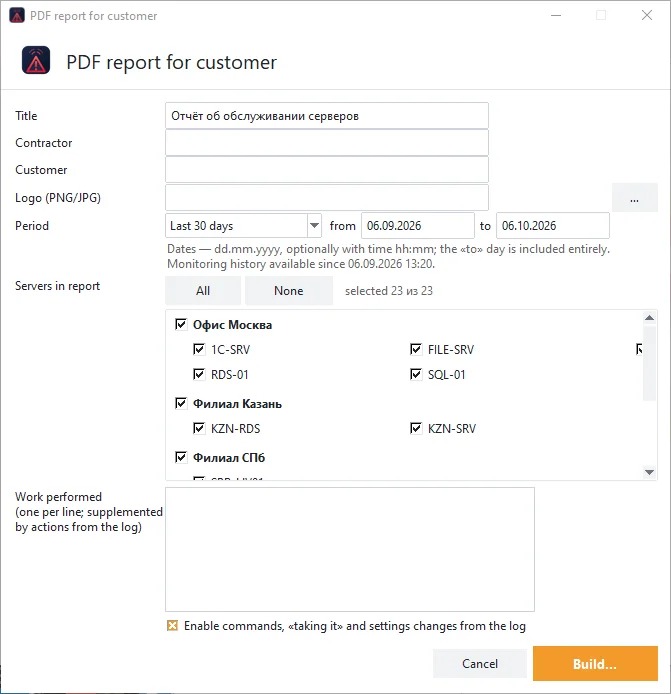
PDF report for the customer
A ready-made server maintenance report: choose the period and servers, add your logo and the list of work done.
Security
Protection of the program itself and control of password-guessing attempts.

Password guessing
Who tried to guess a password and how many times: IP addresses, account names, bans and protection settings.

Program protection
A password at start and for settings, lock on minimize, Telegram user roles and code confirmation for dangerous commands.
Setup and licence
Thresholds, the server list, the web page, appearance and plans.
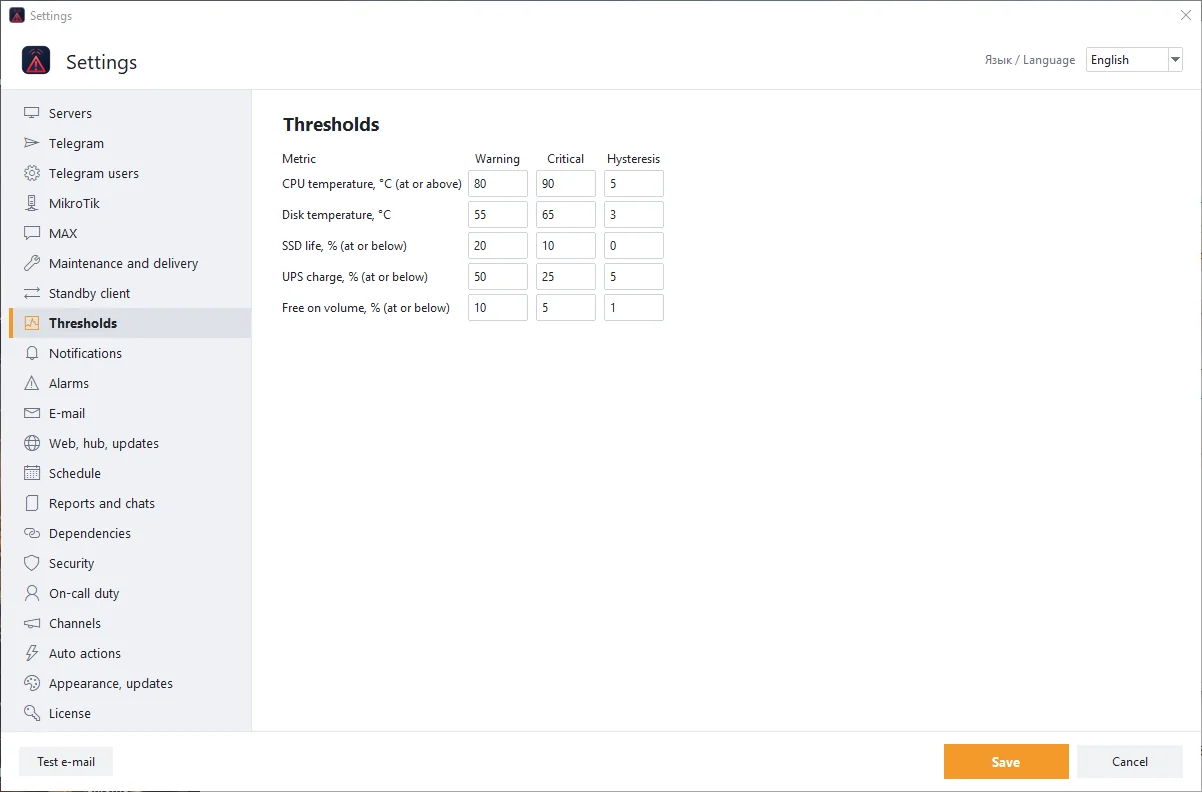
Thresholds
Your own warning and critical thresholds with hysteresis: CPU and disk temperature, SSD wear, UPS charge, free space.

Server list
Servers are stored encrypted. Add, import and export the list; group by office and branch.
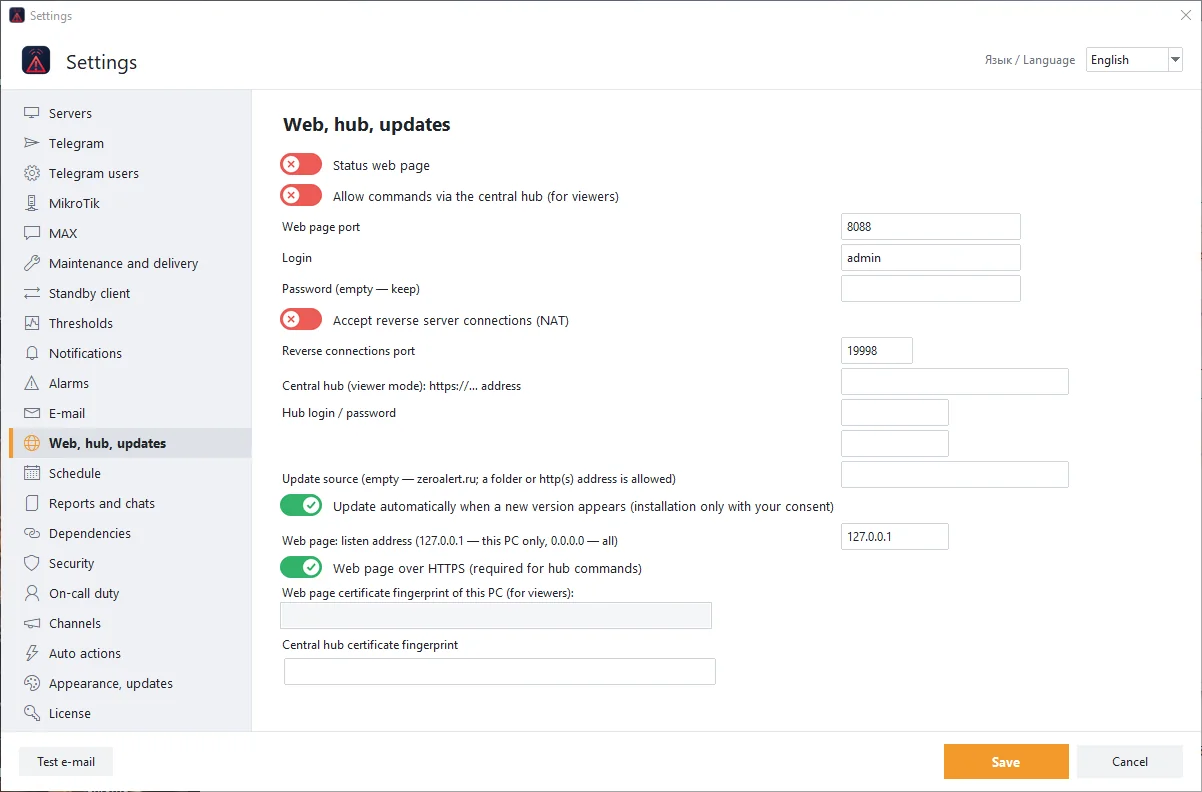
Web page and central hub
A status page you can open without installing the program, incoming connections from servers behind NAT, automatic updates.
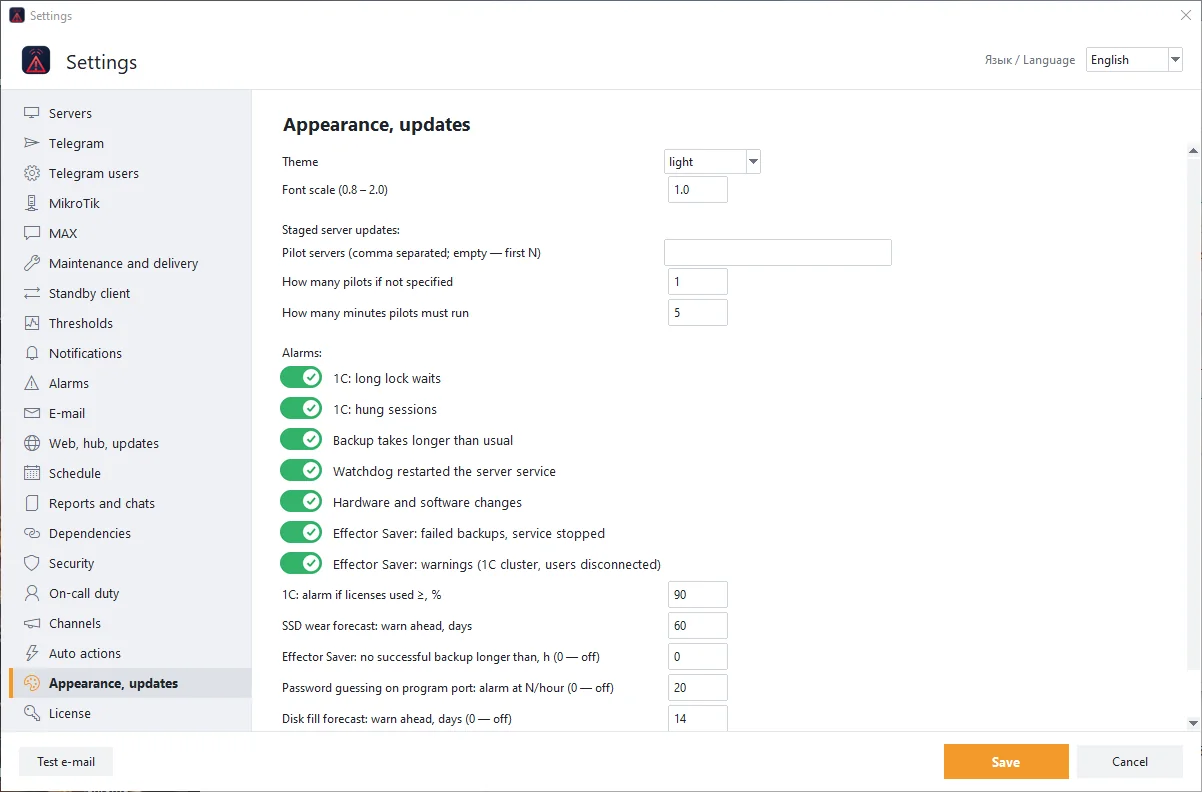
Appearance and updates
Theme, font scale, staged server updates and additional alerts.
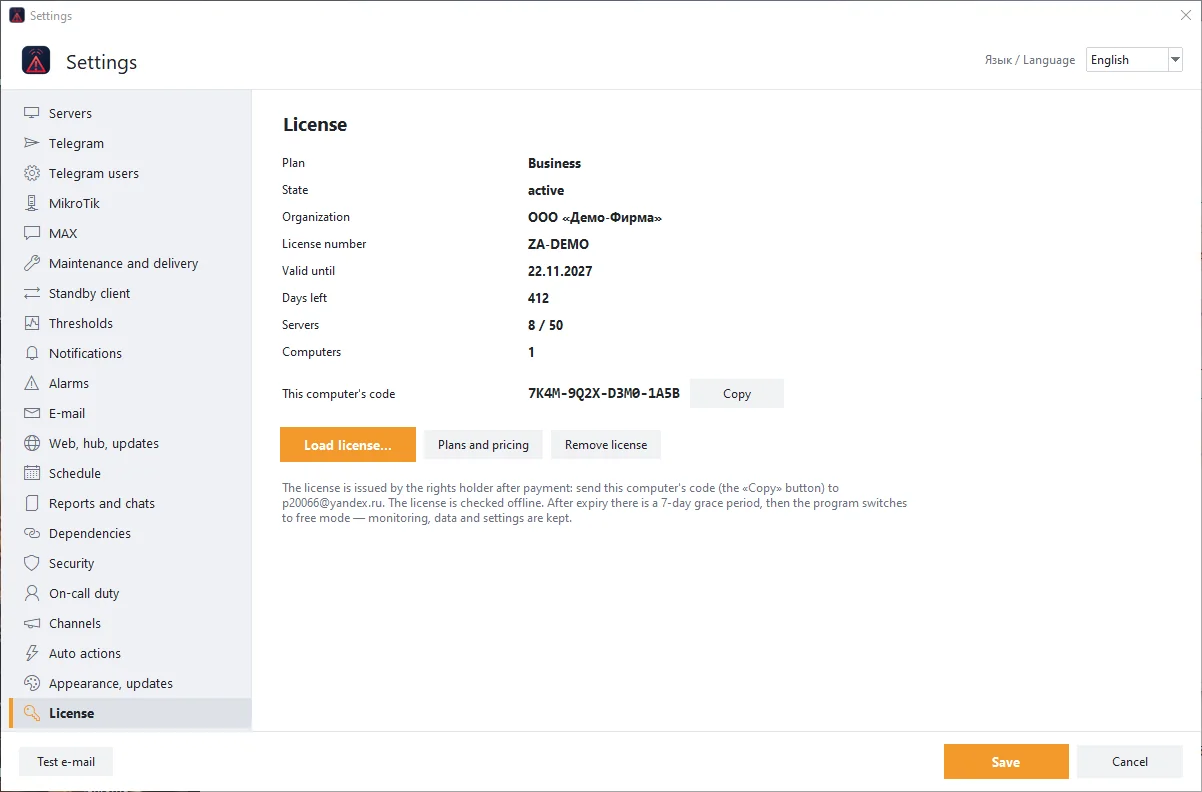
Licence
Plan, expiry date, number of servers and computers. The licence is bound to the computer code and loaded from a file.
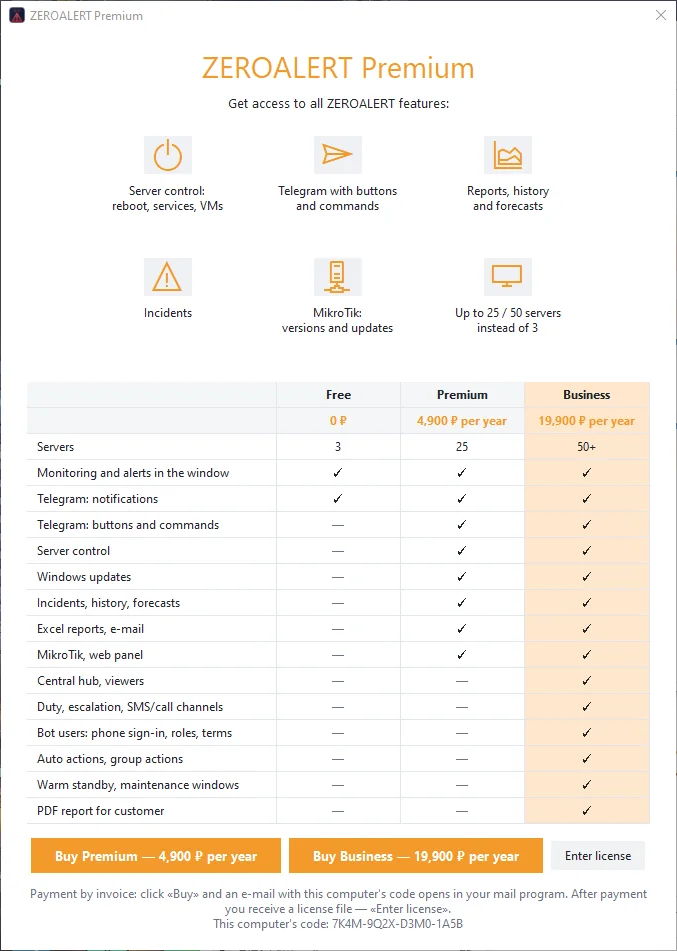
Plans
Plan comparison right in the program: what the Free, Premium and Business plans include.
Screenshots were taken in the demonstration mode of the program with fictional data. Click an image to enlarge.