
Features
The full list of ZEROALERT features. What each plan includes — see the pricing page.

Monitoring
- CPU and disk temperature, CPU and memory load
- Free space, SSD life and SMART
- UPS charge and battery runtime
- Hyper-V virtual machines: state, checkpoints, replication
- Windows services with automatic restart
- Important event log entries: bugchecks, unexpected restarts, disk errors
- Backups, 1C server, SQL Server and transaction log
- Ping, TCP port, website and SSL certificate expiry checks
- MikroTik: availability, RouterOS version, available updates
Alerts
- Thresholds — global and per server, with hysteresis
- Dependencies: one message when a branch router fails, not ten
- E-mail, MAX, VK, SMS and voice call, Telegram
- On-call schedule and escalation of unacknowledged alerts
- «I'm on it» button, incidents with history
- Mute and maintenance windows
Control
- Restart and shutdown of servers and virtual machines
- Services, user sessions, processes, messages to users
- Selective Windows update installation
- Wake-on-LAN, temp file cleanup
- Group actions and automatic actions on alerts
- Server part updates from the client, mass RouterOS upgrade
- Confirmation of dangerous actions, per-server permissions
Reports
- Availability over a period
- Metrics history and disk fill forecast
- Server inventory
- RDP logons, failed logons, password guessing attempts
- Scheduled weekly and monthly reports
- Excel export, PDF report for customers
Teamwork
- Central hub and viewer workstations
- Web panel in the browser, including phones
- Background mode: runs without a user logged on
- Warm standby — a second client takes over
Security
- TLS 1.3 between client and server, certificate pinning
- Brute-force protection and address blocking
- Passwords encrypted with the computer key (DPAPI)
- Audit log: who ran which command, when and from where
- Signed update packages
- No data is sent to the vendor
The program at work
A few screens to see what it looks like.
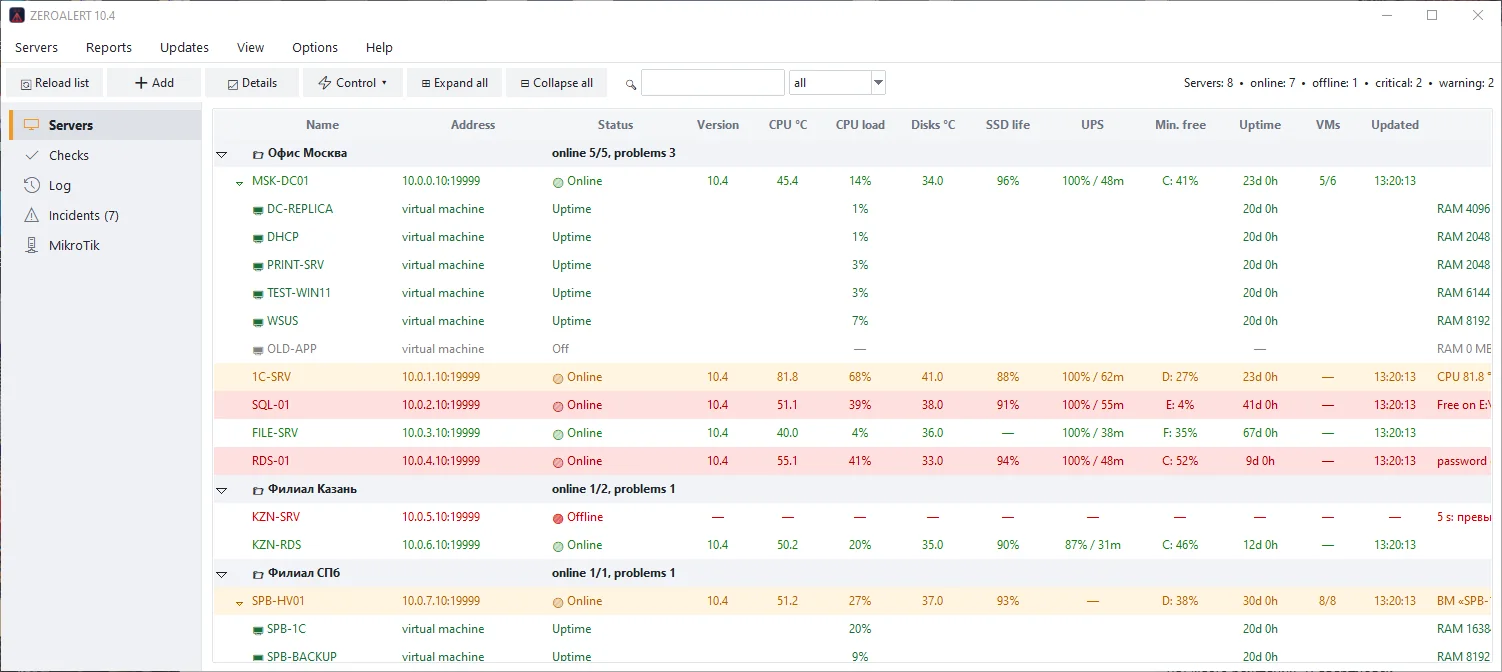
Hyper-V virtual machines
A server row expands to show its virtual machines: state, load, memory and uptime. Start, restart and reset are available from the context menu.
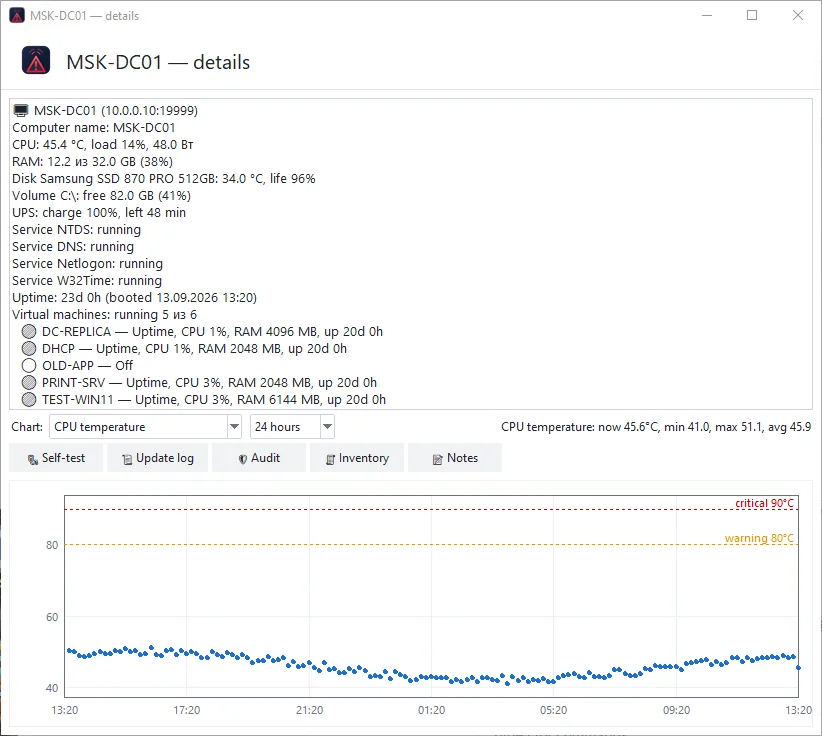
Server card and charts
Detailed readings, disks and services, plus a chart for a day, a week or a month: temperature, load, memory, free space.

Incidents
Alerts are grouped into incidents: who took it, how long it lasts, when it was closed. Close manually and export to Excel.
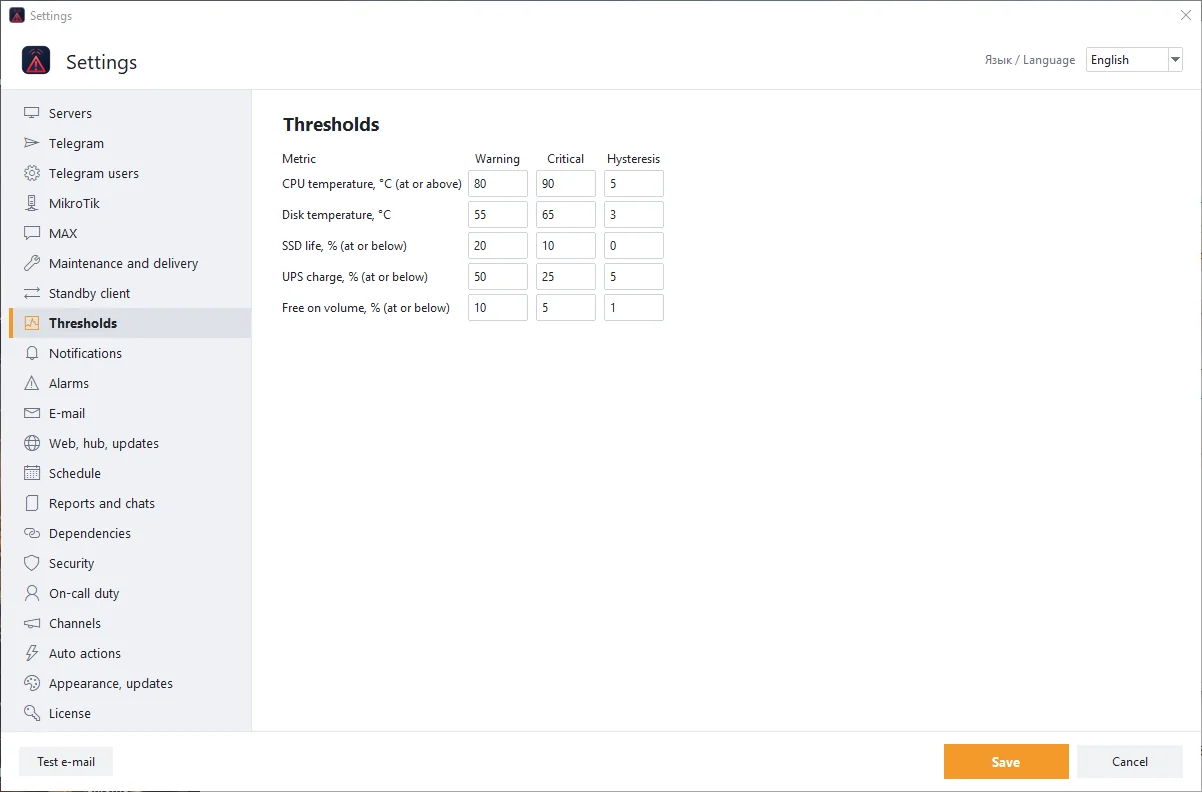
Thresholds
Your own warning and critical thresholds with hysteresis: CPU and disk temperature, SSD wear, UPS charge, free space.
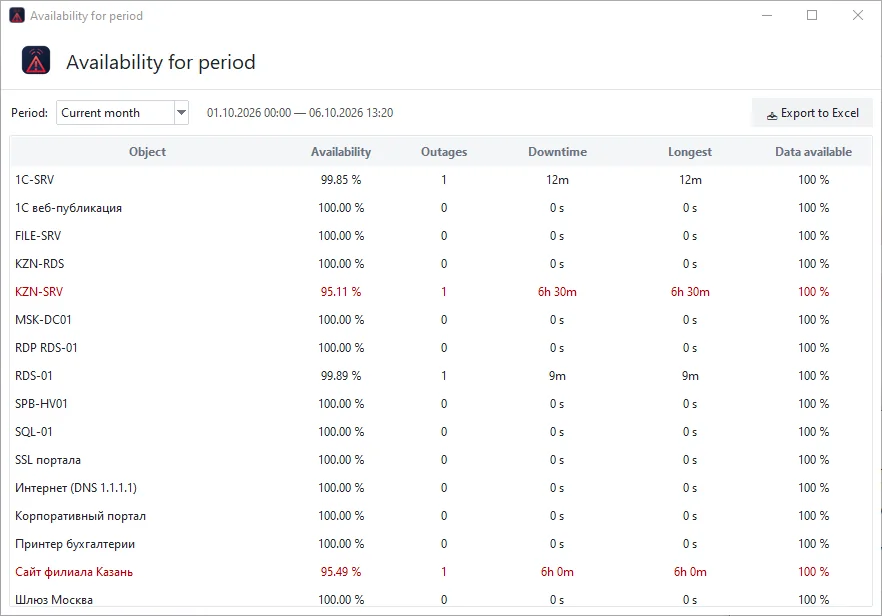
Availability for a period
Availability percentage of every server and check, the number of outages, their duration and the longest one. Export to Excel.

Password guessing
Who tried to guess a password and how many times: IP addresses, account names, bans and protection settings.
Configuration without editing files
Thresholds, alert channels, duty, schedule and license are set in the settings window. Russian and English interface.
